Service Token Management
Service tokens provide secure, long-lived access to the CodeMetrics API for automated systems, background processes, and third-party integrations. These tokens can help with:
- Automated data analysis
- CI/CD pipeline integrations
- External monitoring systems
For technical details about using service tokens with the API, see the API Integration documentation.
Accessing Service Token Management
- Navigate to the Administration section from the main navigation
- Click on "Manage Service Tokens" from the Service Tokens card
Viewing Active Tokens
The service tokens page displays all currently active tokens in your system:
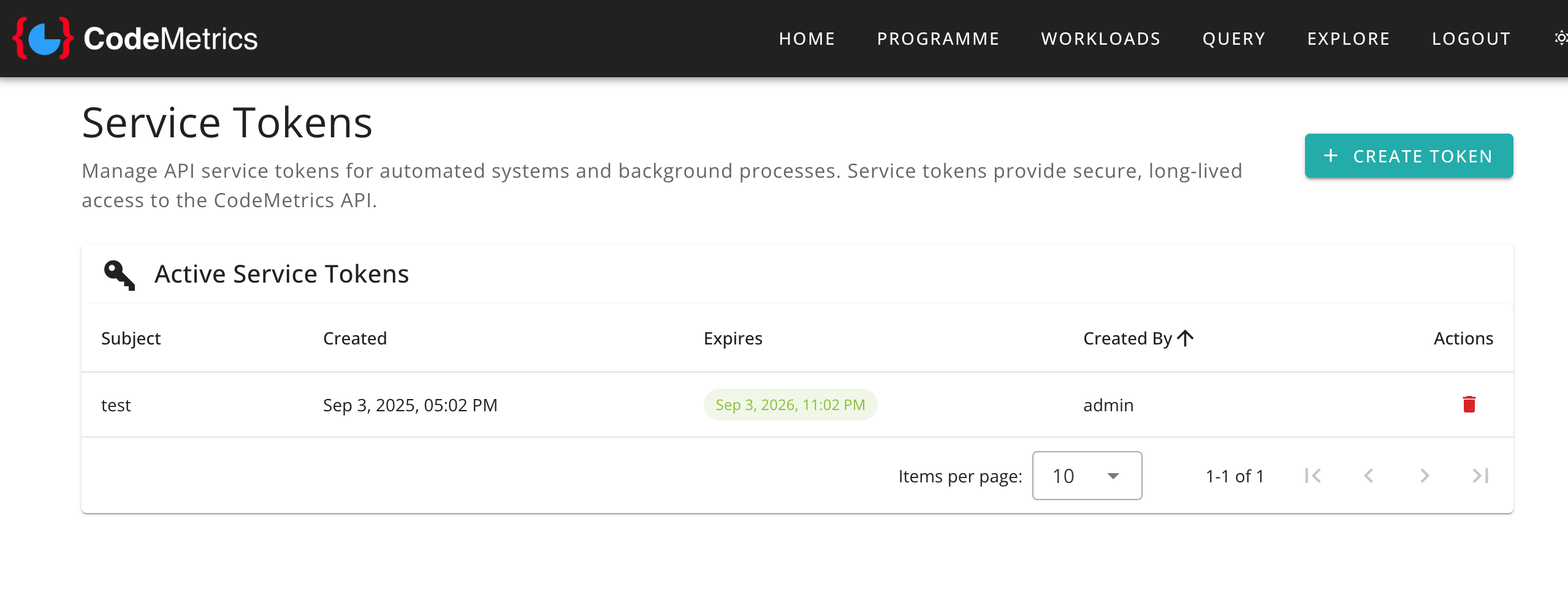
The tokens table includes:
- Subject: A descriptive name for the service or application using the token
- Created: When the token was issued
- Expires: Token expiration date (tokens expiring within 30 days are highlighted)
- Created By: The administrator who issued the token
- Actions: Options to revoke the token
Creating a New Service Token
To create a new service token:
- Click the "Create Token" button
- Enter a descriptive subject name for the service or application
- Click "Create Token"
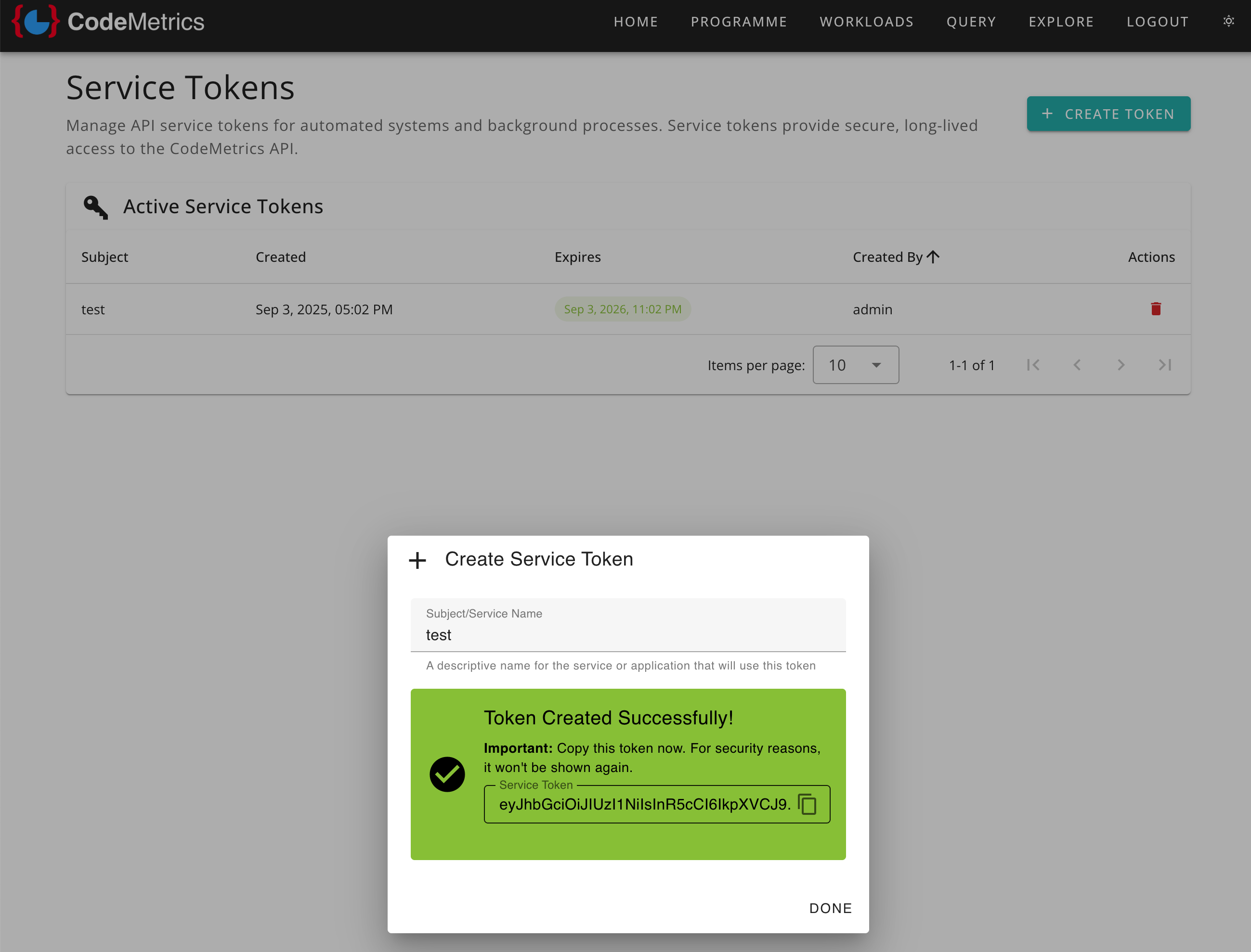
[!NOTE] After creation, the token value is displayed only once. Copy and store it securely, as it cannot be retrieved again for security reasons.
The token creation dialog includes: - A copy button for easy clipboard access - Security warnings about token storage - Clear instructions for safe handling
Revoking Service Tokens
To revoke a service token:
- Click the delete button (trash icon) next to the token in the list
- Confirm the revocation in the dialogue box
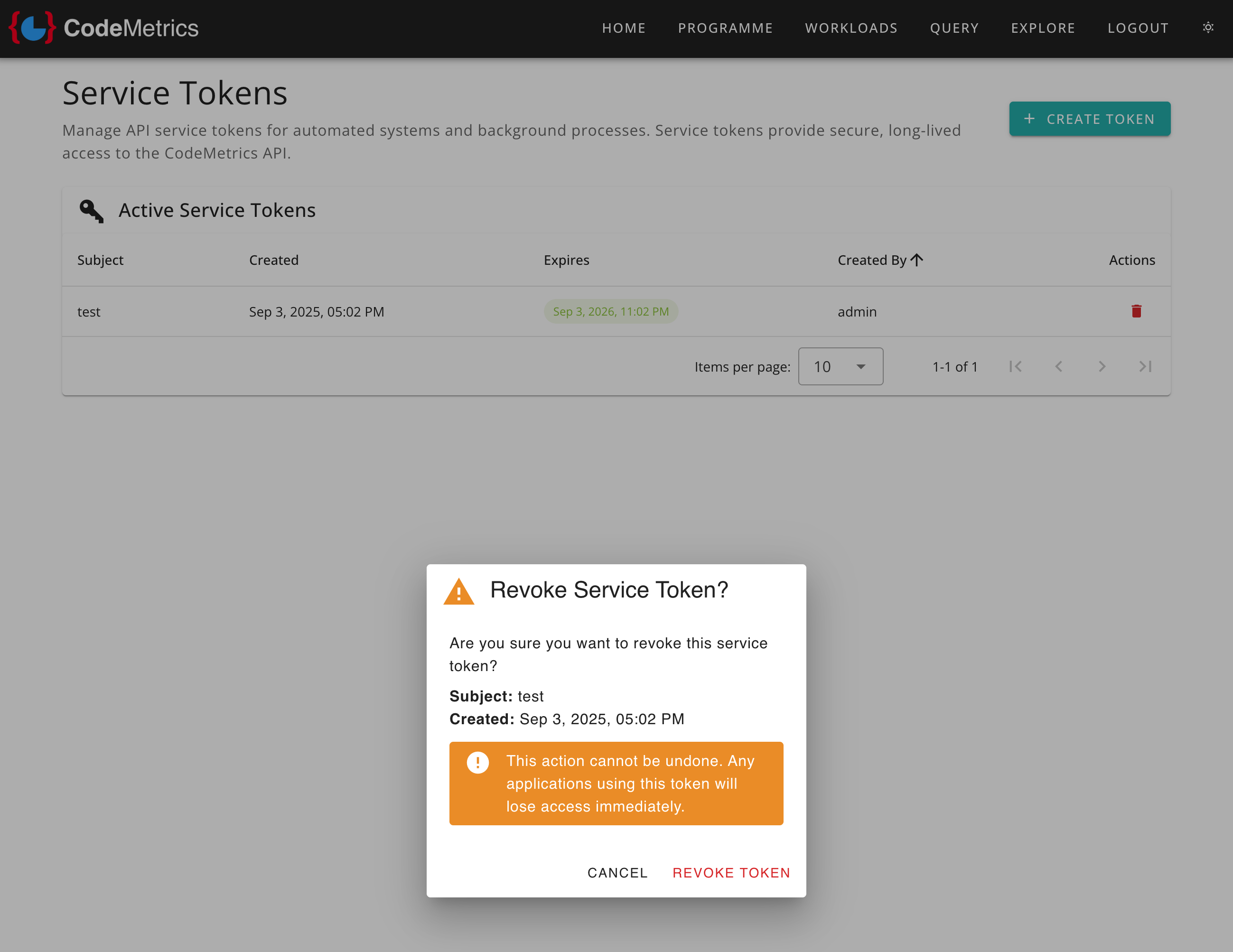
[!WARNING] Revoking a token immediately terminates access for any applications or systems using that token. This action cannot be undone.
The revocation dialogue shows:
- Token details for confirmation
- Clear warnings about the permanent nature of revocation
- Impact on dependent systems
Security Considerations
Token Management Best Practices
- Regular Auditing: Periodically review active tokens and remove unused ones
- Descriptive Naming: Use clear, descriptive subject names to identify token purposes
- Principle of Least Privilege: Only create tokens when necessary
- Secure Storage: Store tokens securely in your systems (e.g., environment variables, secret managers)
- Rotation: Regularly rotate long-lived tokens
Access Control
- Only administrators can access the Administration Portal
- All token management actions are logged for audit purposes
- Token creation requires proper authentication and authorisation